
CHAIN Combat Practice FPS Settings for CHAIN QTEs
The difficulty slider is your frame rate. Here is how to stop fighting 240 Hz.
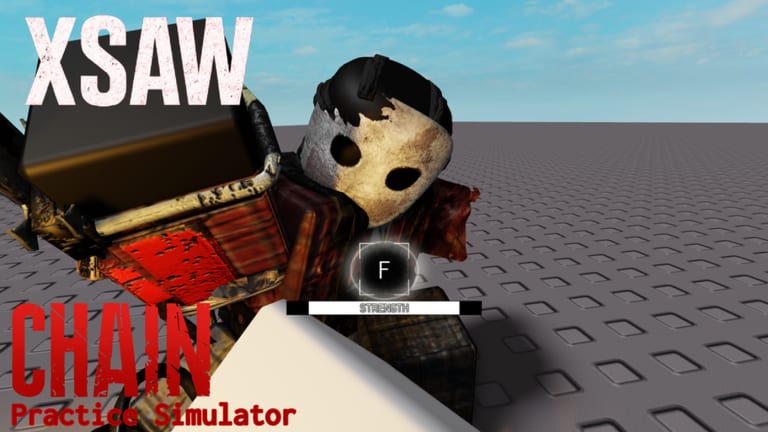
CHAIN Practice Simulator’s own description says difficulty heavily depends on your FPS. That sentence is the whole tool. X-Saw’s two-step clash, Tomahawk’s accelerating hits, even Machete+ perfect windows all run on a clock that speeds up when the client renders more frames. This page is how to cap the clock so CHAIN Combat Practice matches the tutorials you are copying.
Target
Cap near 60 FPS for clash practice. Creators who look cracked on X-Saw almost all record around there. At 120–240 the bar sprints. At 10–20 the bar crawls, but some old practice maps kick you under 24, and the trainer can desync. Do not solve “too hard” by sliding to 15 FPS and then wondering why Survival at 60 feels alien.
Mobile: stability beats graphics. A locked 30 that does not hitch is kinder than a pretty 50 that dips during the scream. Console: many sets already sit near 60; if your TV’s motion smoothing is on, turn it off so you are not adding fake frames.
How to cap (PC)
- Roblox client. Open the in-experience menu → Settings and look for a maximum frame rate option if your version exposes one. Roblox has shipped FPS unlocks; if you previously unlocked 240 for other games, you must put the ceiling back for this gym.
- GPU overlay. NVIDIA app / AMD Software can cap per executable. Cap
RobloxPlayerBeta.exeat 60. MSI Afterburner + RTSS also works; that is how some creators show the FPS number in the corner of X-Saw clips. - Do not use an injected “FPS unlocker script” from the scripts hub. You are trying to go slower, not faster.
After you cap, restart the simulator. Confirm the number on screen before you blame the dummy.
A/B test you can feel
- Uncap. Throw one X-Saw special. Count how readable step two is.
- Cap 60. Throw the same special. The random keys stop teleporting.
- Leave the cap on when you export to Survival. Mixing a 60 FPS gym with a 240 FPS night is how people say “practice is easy, real CHAIN is broken.”
Details of the clash itself: X-Saw QTE. Difficulty ranks: QTE difficulty.
Overlays without lying to yourself
Creators cite MSI Afterburner or the NVIDIA overlay in X-Saw tips clips so you can see the number they had when the bar felt slow. Copy the habit, not the skin. If the overlay says 60 in the menu and 90 the moment the dummy winds up, your cap is not attached to the right executable. Roblox launches more than one process; cap the player, not Studio, not the installer.
Laptop users: plug in. Battery savers that drop the GPU in the middle of step two will look exactly like “RNG keys.” They are not RNG. They are a power plan.
Graphics that steal frames
Survival lighting recodes and “RTX” clips are pretty and expensive. In the gym, drop shadows and extra lights until the cap is honest. If your laptop hits 60 only on the menu and 40 in the clash, the cap is a lie — lower quality until the floor is 60, then cap so it cannot spike to 144 on a simple camera angle.
Ping is a different axis. Tomahawk specials already collapse above ~200 ms. An FPS cap will not fix routing. See Tomahawk.
Related pages
Frequently Asked Questions
Quick answers to the most common questions.
What FPS should I use for X-Saw?
Near 60. That is the window most tutorials assume.
Can I practice at 240 if I play Survival at 240?
You can. The clashes will be harder than every popular guide. Cap if you want those guides to apply.
Why did a practice map kick me at 20 FPS?
Old QTE Practice maps kicked under 24. Use CHAIN Practice Simulator and stay near 60.
Does console need a cap?
Usually it already sits near 60. Disable TV motion smoothing so you are not adding extra interpolated frames.