
CHAIN Combat Practice Controls
Every bind that matters in the trainer and in Survival, including the random QTE cluster.
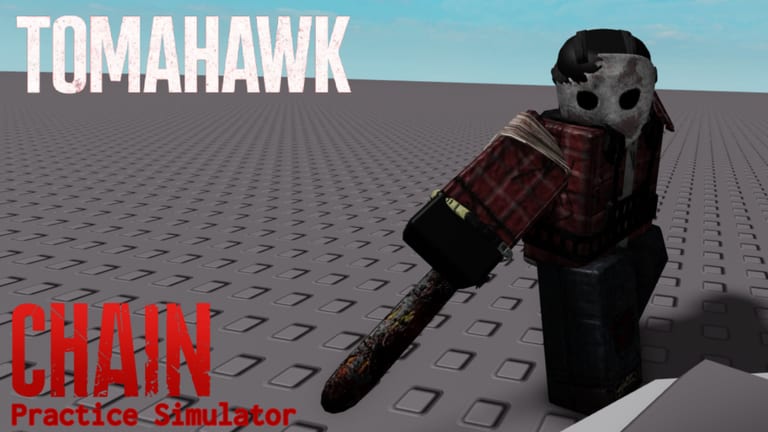
CHAIN Combat Practice is only as good as your binds. The simulator copies CHAIN’s melee prompts as closely as RealJMBlox can get them, then reminds you that FPS still owns the window. This page is the keyboard, pad, and touch map we actually use in guides. If a prompt in your client shows a console icon, trust the icon — some practice maps preload pad art so the A button is not a lie.
Pair this with getting started and the practice routine.
PC (keyboard + mouse)
| Action | Typical bind | Notes |
|---|---|---|
| Move | WASD | Do not zig-zag while sprinting from CHAIN; the AI tracks straight |
| Sprint | Shift | Sprint stamina is not combat stamina |
| Crouch | C | Lowers brightness/speed in Survival stealth; rarely needed in the gym |
| M1 / swing | Left click | Drains combat stamina |
| Block | F (machete family) | Hold to block; late block can start a QTE |
| Special / heavy | Right click | X-Saw lunge, Tomahawk lunge, Winchester heavy |
| Dodge | Q | ~1 second i-frame in Survival; not in Chapter 1 Legacy |
| QTE mash | F | Strength clashes, imperfect Machete+, choke |
| QTE random | E, R, T, F, G (H shows up for some players) | X-Saw step two, perfect Machete+ |
Keep the left hand on the E–G row during a saw clash. If your fingers live only on WASD, you will lose the random step even when you “knew” the timing.
Xbox / PlayStation
Face buttons handle mash QTEs. Triggers handle fire/special depending on the Roblox mapping. Deadzone complaints show up on PlayStation triggers — if R2 feels dead with a weapon out but fine when holstered, that is a known pad/Roblox issue, not a missing bind. Repeat / retry on some QTE practice maps was moved to R1 after an update; if Repeat does nothing, check the shoulder button.
Look down at the on-screen prompt. The letter QTE still appears for some console sessions; others swap in button art. Do not memorize only “press F” if your HUD shows a controller glyph.
Mobile
On-screen buttons for sprint, crouch, block, and special. QTE keys are the nightmare: you are hunting letters on a touch layer while the dummy winds up. Practical rules:
- Raise graphics only if you can hold a stable frame rate. A pretty 20 FPS client makes mash QTEs easier and random-key QTEs late.
- Use a claw grip or a cheap clip-on controller if you insist on X-Saw. Otherwise main Machete+ imperfect (spam) in the gym.
- Freecam / POV extras on some Chain Practice maps are PC-only (“press POV twice”). Do not hunt that button on a phone.
Dodge, block, parry — do not mix the words
- Parry / blade trade: swing M1 as CHAIN’s attack lands. Negates incoming damage, spends combat stamina, deals some back. Core of combat stamina.
- Block: hold block. Machete can start a QTE. X-Saw block is a longer stun, not a stamina refund. Tomahawk block wants spacing, not face-hugging.
- Dodge (Q): short i-frame. Best on dash attacks (full sprint refill in some cases) or right after you lose a clash animation. Panic-Q on cooldown is how you eat the next swing.
Trainer-specific buttons
CHAIN Practice Simulator is still adding UI. Expect a weapon select, a repeat/retry control, and possibly a difficulty-related note. Older QTE Practice maps had an explicit difficulty box and console-button preloads. If Repeat is bound to R1 on pad, report leftover A-button bugs to the trainer creator, not to Suppression Studios.
Related pages
X-Saw QTE uses these binds under time pressure. QTE difficulty explains why the same key feels late at 144 FPS. How to beat CHAIN tells you when to put the special away and just parry.
Frequently Asked Questions
Quick answers to the most common questions.
How do I sprint on PC?
Shift for most clients. Sprint stamina is separate from combat stamina — see combat stamina.
What key is dodge?
Q in Survival (not Chapter 1 Legacy). Use it after a lost clash or on a dash, not as a panic every swing.
Which keys appear in QTEs?
Mash F for strength. Random prompts use E, R, T, F, G, and sometimes H.
Can I play the trainer on console?
Yes. CHAIN Practice Simulator lists Xbox and PlayStation. Watch the on-screen glyph, not a PC tutorial’s letter.
How do I block on mobile?
Use the on-screen block button. Perfect clashes still want timing; spam only on imperfect/strength prompts.