
CHAIN Combat Practice QTE Difficulty Tier List
Which clashes are actually hard, and how frame rate quietly rewrites the ranking.
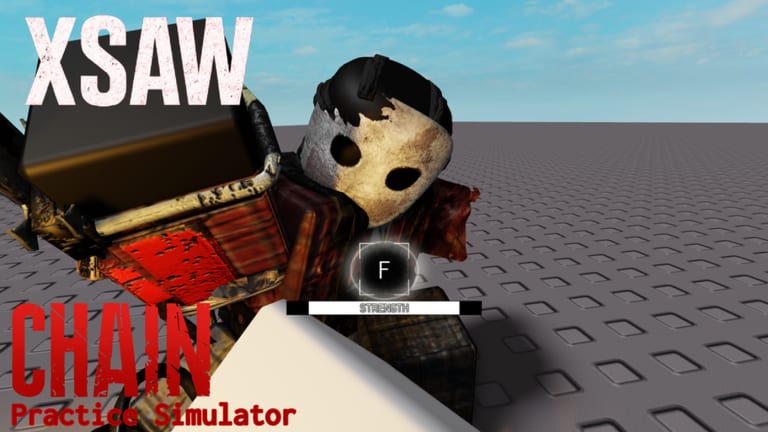
QTE difficulty in CHAIN Combat Practice is not a hidden number in a menu — except on older practice maps that literally had a difficulty box. In the current simulator and in Survival, your FPS is the difficulty slider. This page ranks clash types by how often players fail them at a stable 60 FPS on PC, then notes how mobile and 144 Hz clients drift.
Use FPS settings before you declare a weapon “impossible.” Then compare these rows to weapon tiers.
Difficulty table (60 FPS PC baseline)
| Clash | Keys | Fail cost | Rank |
|---|---|---|---|
| Machete+ perfect block | One random key (E/R/T/F/G family) | Medium | Easy–Medium |
| Machete+ imperfect | Spam F | Medium | Easy |
| Machete block QTE | Prompted sequence | High if you eat the stab combo | Medium |
| Tomahawk special | Two stages, accelerating hits | High, plus No Clash debuff | Medium |
| Choke / strength | Spam F (strength) | Execution if you fail | Medium–Hard |
| X-Saw special | Step 1 timing/mash, step 2 random keys | Very high | Hard |
| X-Saw at 120–240 FPS | Same keys, faster bar | Very high | Very Hard |
| Enraged specials | Lunges get stuffed | Massive damage + ragdoll | Do not throw |
| Winchester heavies | Unique bar + timed M1 | High | Medium–Hard (new) |
Why FPS rewrites the list
Creators who main X-Saw repeat the same rule: cap near 60. At 60, the random-key portion of the saw clash often wants about two or three timed inputs on the clash sounds. At 144 or 240, the bar sprints. At 10–20 FPS the bar crawls, but the trainer and some old maps kick or desync you. Mobile frame pacing is uneven, which is why phone players swear the QTE is “randomly faster.” It is not personal. It is the clock.
CHAIN Practice Simulator’s Roblox description says this in plain text: difficulty heavily depends on your FPS. Believe the description.
Input device ranks
- Keyboard. Best for random letters. Keep left fingers on E/R/T/F/G so you are not hunting H across the board. WASD stays on the left; clash keys are the same hand cluster.
- Controller. Face buttons map cleanly to mash QTEs. Random letter prompts are the weak spot — some practice maps preload console button art so the prompt matches the pad.
- Touch. Worst for two-step saw clashes. If you main mobile, over-index on Machete+ imperfect (spam) and choke mash, and treat X-Saw special as a luxury.
Controls lists the actual binds, including dodge on Q.
Training order that respects difficulty
- Machete parry (not even a QTE — just timing).
- Machete / Machete+ block clashes.
- Choke mash so you do not die to the grab after you finally learn to fight.
- Tomahawk special at 60 FPS.
- X-Saw special with no spam on step one (spam here is the most common self-nerf).
- Winchester once the trainer or private server has the prompt.
Skip steps only if you already have the muscle memory. The practice routine times this as sets, not as a playlist of YouTube shorts.
Enraged and Bloodmoon
During Enraged, many QTEs simply do not start, and lunges get overpowered. Bloodmoon also ignores some X-Saw invuln. Difficulty ranks above assume normal CHAIN. If the mask has two arms, your “difficulty” is whether you still have a Combat Knife or 50w of gas, not whether you can hit G in time. Read how to beat CHAIN.
Related pages
Frequently Asked Questions
Quick answers to the most common questions.
What is the hardest QTE?
X-Saw’s two-step special on an uncapped high-FPS client. Cap frames, then retry — see X-Saw QTE.
Why does Tomahawk feel easier than X-Saw?
You can move during the charge and the accelerating hits are more readable at 60 FPS. Ping above 200 ms reverses that.
Does spamming help?
Spam F on strength/imperfect clashes. Do not spam the first X-Saw step; it makes the second step worse.
Is the old difficulty box still a thing?
On discontinued QTE Practice maps, yes. On CHAIN Practice Simulator, FPS is the real box.